Application Form Guide
The Application Form allows administrators to create and manage business applications within the OJOO Business OS Platform. Applications act as top-level containers that organize modules, features, workflows, permissions, and operational systems.
Overview
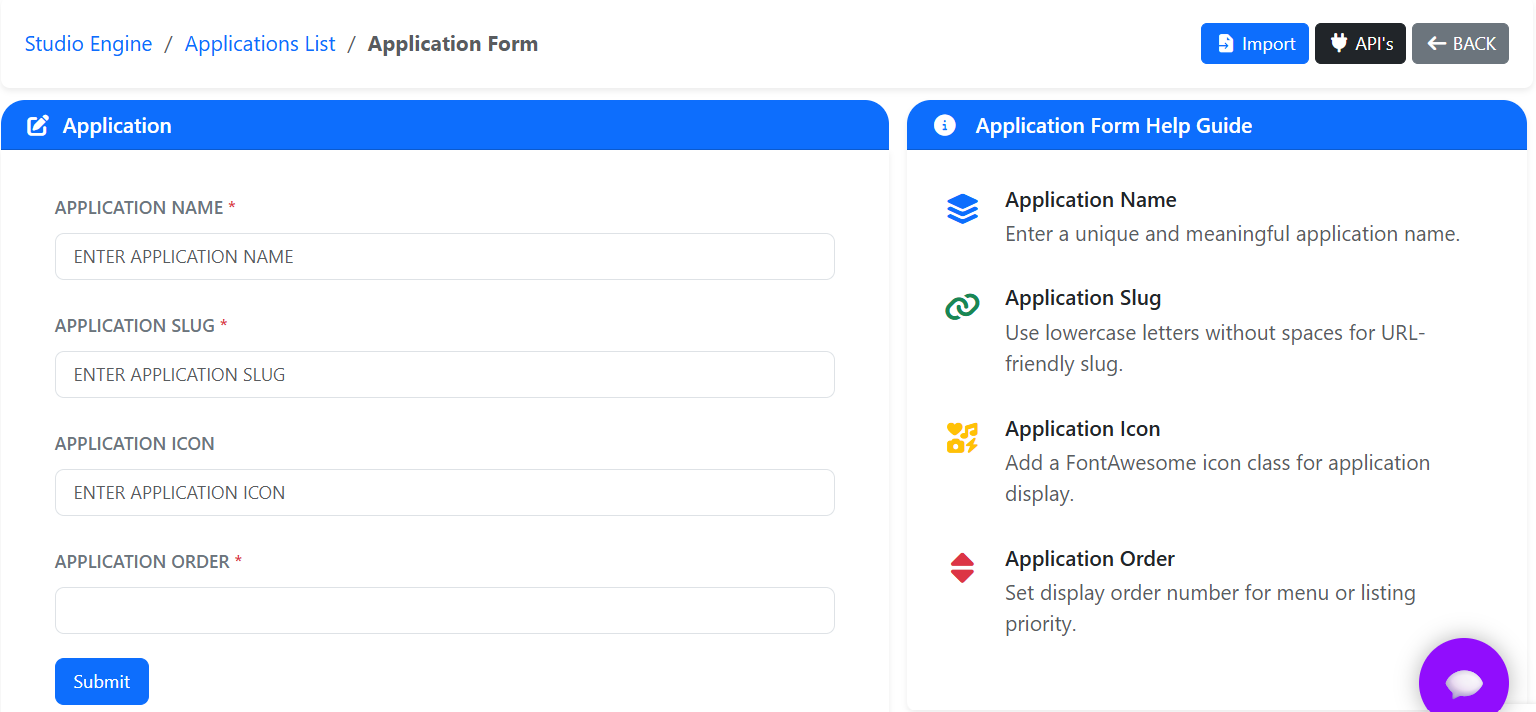
The Application Form screen is used to create new applications and maintain existing application configurations. Administrators can define application names, routing slugs, icons, and display ordering to ensure proper organization throughout the platform.
- Create business applications.
- Configure application slugs.
- Assign application icons.
- Control application display order.
- Organize modules and features.
Application Form Fields
The following fields are available within the Application Form.
| Field | Description |
|---|---|
| Application Name | Enter a unique and meaningful application name. |
| Application Slug | URL-friendly identifier used internally for routing and references. |
| Application Icon | Font Awesome icon associated with the application. |
| Application Order | Defines the display order of applications within menus and navigation. |
Action Buttons
The Application Form provides several action buttons for managing application records.
| Button | Description |
|---|---|
| Submit | Saves the application configuration. |
| Import | Import application data from external sources. |
| API's | Access application API documentation and integration references. |
| Back | Return to the Applications List screen. |
Application Form Help Guide
The Help Guide panel provides contextual assistance for each field available within the Application Form screen.
- Application naming recommendations.
- Slug formatting standards.
- Icon configuration guidance.
- Application ordering information.
Quick Links
Quick links provide shortcuts to related platform configurations.
| Link | Description |
|---|---|
| Applications | Create and manage business applications. |
| Modules | Configure and organize application modules. |
| Features | Create and manage application features and permissions. |
Best Practices
- Use meaningful application names for better organization.
- Maintain consistent slug naming conventions.
- Assign relevant icons for quick visual recognition.
- Configure application order carefully for improved user navigation.
- Group related modules and features appropriately.
- Review configurations before saving.
- Regularly audit and remove unused applications.